

Compliance That Fits Microsoft Dynamics 365 Commerce Users
What Happens After a Commerce Transaction?
- The Customer Completes a Purchase: A sale takes place through an applicable Dynamics 365 Commerce channel, generating the transaction record.
- Commerce Information Comes Together: Relevant customer, product, quantity, tax, order, and sales details are identified.
- The Invoice Record Is Prepared: Applicable transaction information is arranged into an electronic invoice suitable for the Philippines workflow.
- The Record Is Checked: Required business and transaction information is reviewed before the invoice progresses.
- The Compliance Process Continues: The prepared invoice moves through the applicable Philippines electronic invoicing and BIR workflow.
- The Sale Remains the Reference: Invoice information can be connected with the original Commerce transaction for future review.
How Advintek Connects Commerce With e-Invoicing
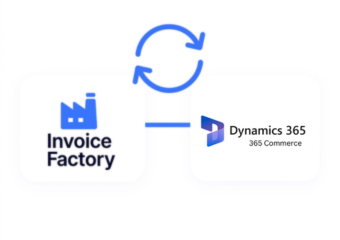
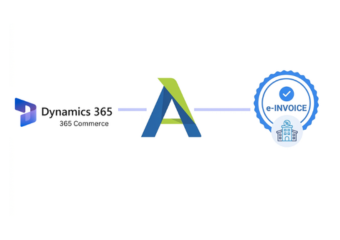
Microsoft Dynamics 365 Commerce is designed around connected retail experiences across digital and physical channels. Advintek extends relevant Commerce transaction information into Philippines electronic invoicing, helping businesses create a consistent route from retail activity to applicable BIR processes.
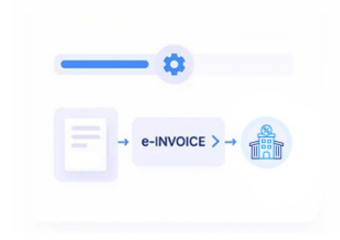
- The transaction begins through an online, in-store, or other retail channel.
- Order, customer, product, quantity, and transaction details are collected.
- Relevant information is organized into the electronic invoice process.
- The prepared record proceeds through applicable Philippines E-invoicing.
Why Omnichannel Retailers Can Benefit
- One View Across Sales Channels — Relevant invoice information can be connected with transactions originating from different Commerce touchpoints.
- Customer Context Travels With the Sale — Available customer information can remain associated with the purchase throughout the invoice process.
- Products Stay Tied to Transactions — Item and quantity details can remain connected with the specific retail sale that generated the invoice.
- Online and Store Sales Stay Coordinated — Businesses can use a connected invoicing approach across digital and physical commerce activities.
- Order Review Becomes More Practical — Teams can refer back to the originating Commerce transaction when checking invoice information.
- Retail Growth Does Not Require Separate Invoice Processes — A connected approach can support recurring transactions across expanding commerce operations.
Complete Control Over Philippines E-Invoicing Workflows in One Platform
Error Detection and Resolution Support
Identifies relevant transaction information regardless of whether the sale originates through digital commerce or physical retail activity.
Dashboard and Reporting
Reviews applicable customer, product, quantity, tax, and order information before electronic invoice processing.
Dedicated e-Invoicing Support
Keeps invoice information connected with the Commerce order supporting the original retail transaction.
Keeping Omnichannel Sales Aligned With BIR Requirements
Retail transactions can begin in different places, but the resulting invoice still needs reliable business information. Advintek connects relevant Dynamics 365 Commerce sales data with Philippines electronic invoicing processes, helping organizations maintain continuity across storefronts, POS activity, customer records, and applicable BIR requirements.
- Brings multiple retail channels into one invoice process
- Keeps customer and product information connected
- Links invoices with originating commerce activity
- Supports applicable Philippines BIR workflows
Give Every Retail Channel One Invoice Route
Connect Dynamics 365 Commerce order, customer, product, POS, and transaction information with an electronic invoicing process designed around applicable Philippines BIR requirements.
Using another ERP, POS, ecommerce platform, accounting system, or retail application alongside Commerce? Advintek supports flexible Philippines e-invoicing integrations across connected business environments.
Ready e-Invoice System
Frequently Asked Questions Microsoft Dynamics e-Invoicing Philippines
Can Dynamics 365 Commerce transactions be connected with Philippines e-invoicing?
Yes. Relevant Commerce sales, order, customer, product, POS, and transaction information can be connected with an electronic invoicing workflow designed around applicable BIR requirements.
Can both online and in-store transactions be included?
Depending on the configured integration, relevant transactions from supported Commerce channels can contribute to the connected electronic invoicing process.
Can customer information follow an omnichannel transaction?
Yes. Available customer information can remain associated with the relevant purchase when preparing the electronic invoice.
Can product and quantity details be used for invoice preparation?
Yes. Relevant product, item, and quantity information can support the creation of invoice records from Commerce transactions.
How does Advintek support BIR requirements for Dynamics 365 Commerce?
Advintek connects relevant Commerce transaction information with an electronic invoicing workflow designed around applicable Philippines BIR requirements.