

Compliance Built for Power Apps Business Operations
How a Power Apps Transaction Reaches the Invoice Stage
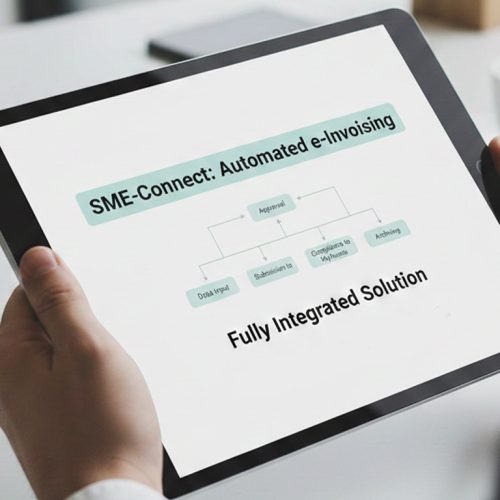
- A Custom App Records Activity: Employees enter or update customer, product, service, or transaction information through a Power Apps application.
- Business Rules Shape the Record: The collected information follows the organization’s configured workflow, approvals, and operational requirements.
- Relevant Data Is Selected: Applicable customer, transaction, tax, product, service, and business details are identified for invoicing.
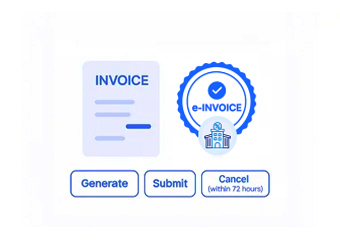
- Invoice Information Is Prepared: Selected information is organized into an electronic invoice record suitable for the Philippines process.
- Compliance Processing Continues: The prepared record moves through the connected electronic invoicing workflow supporting applicable BIR requirements.
- The Original App Record Remains Useful: The resulting invoice can be referenced against the Power Apps transaction for operational review.
A Flexible Route From Power Apps to e-Invoicing
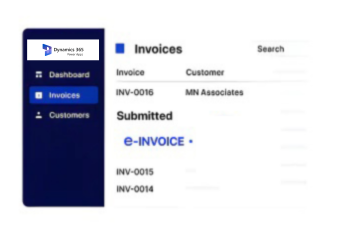
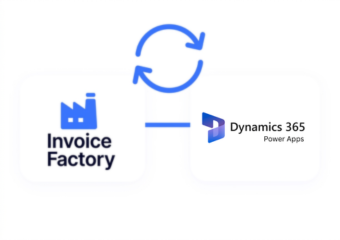
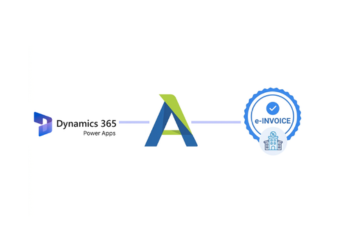
Power Apps allows organizations to build applications around their own business processes, data capture, approvals, and operational workflows. Advintek connects relevant Power Apps information with Philippine electronic invoicing, helping businesses move custom application data into applicable BIR processes.
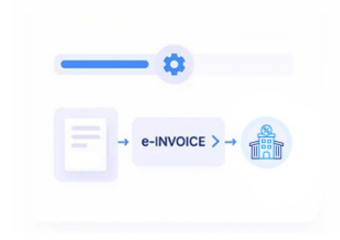
- Custom apps capture customer and transaction information.
- Business workflows organize relevant operational data.
- Advintek prepares information for electronic invoicing.
- Records proceed through applicable Philippines BIR processes.
Why Custom-App Users Benefit From the Connection
- Business-Specific Data Can Be Preserved — Organizations can carry relevant information from custom application fields into the invoice workflow instead of relying only on standard records.
- Approvals Can Support Process Control — Existing approval stages can provide useful context before a transaction proceeds toward invoice preparation.
- Different Departments Can Participate — Power Apps workflows can collect information from teams involved in sales, service, procurement, operations, or other activities.
- Custom Processes Stay Intact — Businesses can connect invoicing to applications designed around their own operational requirements.
- Invoice Preparation Has a Clear Starting Point — Completed app records can provide an identifiable source for the information used to prepare an invoice.
- Connected Applications Can Evolve — As business processes change, relevant Power Apps data can continue feeding the connected invoicing workflow.
Complete Control Over Philippines E-Invoicing Workflows in One Platform
Custom Field Mapping
Maps relevant Power Apps fields to the information required during electronic invoice preparation.
Data Completeness Review
Checks applicable customer, transaction, tax, product, service, and business information before processing continues.
BIR Process Integration
Connects Power Apps transaction workflows with applicable Philippines BIR electronic invoicing and reporting requirements.
Bringing Custom Business Processes Into Philippines Compliance
Organizations often build Power Apps around processes that do not fit neatly into traditional ERP workflows. Advintek connects the relevant information captured through those applications with Philippines electronic invoicing, helping businesses retain their custom processes while supporting applicable BIR requirements.
- Extends custom applications into electronic invoicing
- Preserves organization-specific transaction information
- Connects departmental workflows with invoice processing
- Supports applicable Philippines BIR requirements
Add a Compliant Invoice Path to Custom Apps
Connect relevant Power Apps customer, transaction, product, service, approval, and business information with an electronic invoicing process designed around applicable Philippines BIR requirements.
Using an ERP, CRM, accounting platform, Power Automate workflow, or another business application with Power Apps?
Ready e-Invoice System
Frequently Asked Questions Power Apps e-Invoicing Philippines
What Power Apps information can support electronic invoice preparation?
Depending on the application and configured workflow, customer, transaction, product, service, tax, approval, and custom business information can contribute to invoice preparation.
Can custom Power Apps fields be used in the invoice workflow?
Yes. Relevant custom fields can be mapped to the information required for the connected electronic invoicing process.
Can approvals be included before invoice processing?
Where configured, approval status and related workflow information can help determine when a transaction is ready to proceed toward invoice preparation.
Can different departments use the same e-invoicing connection?
Yes. Power Apps can support applications used across departments, allowing relevant transaction information from different business processes to enter a connected invoice workflow.
How does Advintek support BIR requirements for Power Apps?
Advintek connects relevant Power Apps transaction information with an electronic invoicing workflow designed around applicable Philippines BIR requirements.