

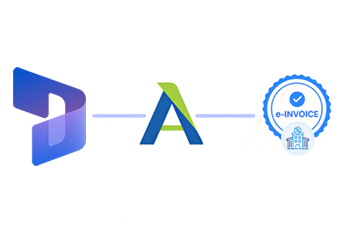
Compliance That Fits Microsoft Dynamics Users
Following a Dynamics Transaction Into Philippines e-Invoicing
- Business Activity Creates the Record: A sale, purchase, service, or other business transaction generates information within Microsoft Dynamics.
- Relevant Information Is Selected: Customer, supplier, product, financial, tax, and transaction details are identified for invoice preparation.
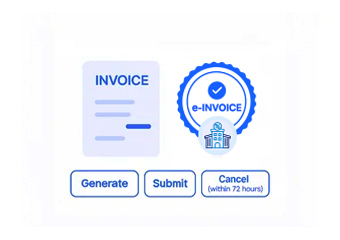
- Invoice Content Takes Shape: Selected information is arranged into an electronic invoice record appropriate for the Philippines workflow.
- The Data Goes Through Review: Required information is examined before the invoice continues through the connected process.
- The Invoice Enters BIR Processing: The prepared record proceeds through the applicable Philippines electronic invoicing and reporting workflow.
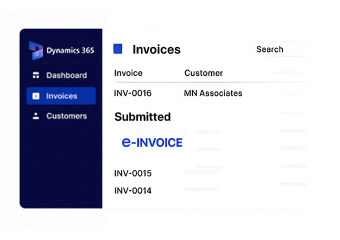
- Dynamics Remains the Business Reference: Relevant invoice information can be associated with the originating Dynamics transaction for future review.
How Advintek Extends Microsoft Dynamics
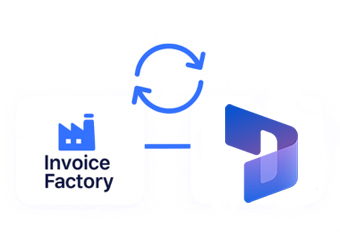
Microsoft Dynamics brings multiple areas of business management together, giving organizations a common environment for financial and operational information. Advintek extends that environment into Philippines electronic invoicing by connecting relevant Dynamics records with the applicable BIR process.
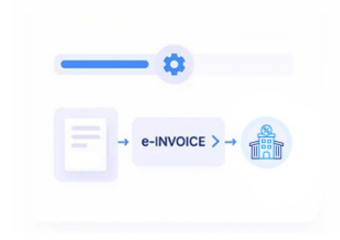
- Sales, purchasing, finance, inventory, or activity generates source information.
- Relevant customer, product, financial, tax, and transaction details identified.
- Advintek organizes information into the electronic invoice workflow.
- The resulting record proceeds through Philippines BIR process.
Business Outcomes From Connecting Dynamics
- Finance Gets Better Transaction Context — Invoice information can remain connected to the business activity and financial records that support it.
- Sales and Accounting Stay Closer Together — Customer and sales information can move into invoicing without losing its original business context.
- Procurement Records Remain Useful — Supplier and purchasing information can stay relevant for transactions requiring associated invoice documentation.
- Product Information Remains Consistent — Relevant product and quantity details can carry forward from Dynamics transactions into invoice records.
- Teams Can Follow the Transaction Trail — Invoice information can be reviewed alongside the Dynamics activity that generated it.
- One ERP Can Support Multiple Business Areas — The invoicing connection can work across relevant finance, sales, purchasing, inventory, and operational workflows.
Everything You Need for Philippines E-Invoicing in One Place
Error Detection and Resolution
Identifies relevant Dynamics fields and connects applicable business information with the electronic invoice record.
Dashboard and Reporting
Examines relevant accounting, customer, supplier, product, and transaction information before processing continues.
Dedicated e-Invoicing Support
Keeps the resulting invoice information related to its originating Dynamics transaction for easier business reference.
Making Microsoft Dynamics Part of the Compliance Workflow
A business transaction can involve several departments before it becomes an invoice. Microsoft Dynamics brings many of those activities together, while Advintek connects the relevant information with Philippines electronic invoicing. This helps organizations preserve business context while supporting applicable BIR requirements across their connected workflows.
- Brings ERP transactions into electronic invoicing
- Maintains business context around invoice records
- Connects finance and operational information
- Supports applicable Philippines BIR processes
Extend Your ERP Into Compliant Invoicing
Connect relevant Dynamics finance, sales, purchasing, inventory, customer, and transaction information with an electronic invoicing process aligned with applicable Philippines BIR requirements.
Using another ERP, accounting platform, CRM, supply chain application, or business system alongside Microsoft Dynamics? Advintek supports flexible Philippines e-invoicing integrations across connected environments.
Ready e-Invoice System
Frequently Asked Questions Microsoft Dynamics E-Invoicing Philippines
Which Microsoft Dynamics information can support invoice preparation?
Depending on the configured workflow, customer, sales, supplier, product, inventory, financial, tax, and transaction information can contribute to electronic invoice preparation.
Can Microsoft Dynamics finance and sales records work together for invoicing?
Yes. Relevant financial and sales information can be connected so the invoice reflects the business transaction recorded within Dynamics.
Can purchasing transactions be included in the connected workflow?
Where applicable, relevant supplier, procurement, product, and transaction information can be incorporated into the electronic invoicing process.
Will invoice records remain associated with Dynamics transactions?
Yes. Relevant invoice information can remain linked to the originating Dynamics transaction, giving teams a useful reference for review.
How does Advintek support Philippines BIR requirements?
Advintek connects relevant Dynamics transaction information with an electronic invoicing workflow designed around applicable Philippines BIR requirements.